Free Online Games No Download: Play Instantly in Your Browser
Play free online games instantly without downloading anything. Our collection of browser games works on any device - just click and play. No installations, no waiting.

Why wait for downloads when you can play instantly? Browser-based games let you jump into gaming within seconds — no installations, no storage space needed, no waiting. Here's everything you need to know about no-download gaming.
The Appeal of No-Download Games
Instant Gratification
Traditional games can take:
- Hours to download
- Additional time to install
- Updates before you can play
- Storage space on your device
Browser games? Click and play. That's it.
Device Freedom
No-download games work on:
- Chromebooks (perfect for school)
- Windows PCs (any browser)
- Mac computers (Safari, Chrome, Firefox)
- Tablets (iPad, Android)
- Smartphones (iOS, Android)
- Even smart TVs (with browsers)
No Storage Concerns
Modern games can take up 50-100+ GB of storage. Browser games use zero permanent storage on your device.
No Commitment
Try any game without:
- Creating accounts
- Downloading files
- Providing credit cards
- Long-term commitments
Don't like a game? Just close the tab.
How No-Download Games Work
HTML5 Technology
Modern browser games use HTML5, a web standard that:
- Runs natively in all browsers
- Doesn't require plugins
- Performs nearly as well as downloaded games
- Works on mobile and desktop
Cloud-Based Assets
Game files are served from fast CDN servers:
- Assets load only when needed
- Nothing saved to your device
- Always the latest version
- Consistent experience everywhere
Local Processing
Your browser handles the gameplay:
- No lag from server communication
- Responsive controls
- Offline play (for some games)
- Privacy — gameplay isn't transmitted
Types of No-Download Games
Casual Games
Perfect for quick sessions:
- Puzzle games
- Card games
- Match-three games
- Simple arcade games
Action Games
Surprisingly capable in browsers:
- 3D shooters
- Platformers
- Fighting games
- Battle royales
Multiplayer Games
Play with others without downloads:
- Real-time battles
- Turn-based strategy
- Co-op puzzles
- Party games
Simulation Games
Complex games that run entirely in browser:
- City builders
- Tycoon games
- Life simulators
- Farming games
Advantages Over Downloaded Games
| Feature | No-Download | Downloaded |
| ---------------- | ----------- | ------------- |
| Start Time | Seconds | Minutes-Hours |
| Storage Used | 0 MB | 1-100+ GB |
| Updates | Automatic | Manual |
| Device Switching | Seamless | Re-download |
| Cost | Free | Often Paid |
| Works at School | Usually | Rarely |
Finding Quality No-Download Games
What to Look For
Good signs:- HTTPS secure connection
- Clean, professional site design
- Games load in under 15 seconds
- No popup ads
- Mobile-responsive design
- Regular game additions
- Requests to download anything
- Excessive popup windows
- Fake virus warnings
- "Download now" buttons
- Outdated site design
Categories to Explore
Action & Adventure- Test your reflexes and skills
- Explore worlds and complete quests
- Fast-paced and exciting
- Challenge your mind
- Relaxing yet engaging
- Great for short breaks
- Competitive fun
- Multiple game modes
- Leaderboards and records
- Build and manage
- Long-term progression
- Complex decision-making
Playing No-Download Games at School
Browser games are ideal for school because:
- IT-Friendly: No software to install
- No Admin Rights Needed: Just open a browser
- Quick to Hide: Close the tab instantly
- No Evidence: Nothing saved to the computer
- Works on Chromebooks: Perfect for school devices
When to Play
✓ Lunch breaks
✓ Before/after school
✓ Completed work time
✓ Free periods
✗ During class
✗ Test time
✗ When teacher is talking
Optimizing Your Experience
Browser Settings
For best performance:
- Enable hardware acceleration
- Use an updated browser
- Disable unnecessary extensions
- Clear cache occasionally
Network Tips
- Close streaming video in other tabs
- Move closer to WiFi router
- Wait for off-peak hours if network is busy
Device Tips
- Close other applications
- Ensure device is charged
- Use a mouse for precision games
- Consider headphones for audio
Popular No-Download Game Genres
Endless Runners
Run as far as you can while avoiding obstacles:
- Simple controls (often just tap/click)
- Addictive "one more try" gameplay
- Quick sessions
- High score competition
Tower Defense
Build defenses to stop enemy waves:
- Strategic planning
- Multiple upgrade paths
- Increasing difficulty
- Save progress between sessions
Idle/Clicker Games
Progress even when not playing:
- Check in periodically
- Passive progression
- Deep upgrade systems
- Less active playtime needed
Classic Arcade
Timeless gameplay:
- Snake
- Tetris-style games
- Breakout/Arkanoid
- Pac-Man inspired games
Multiplayer IO Games
Quick competitive sessions:
- Battle royale formats
- Territory control
- Survival modes
- Growing/evolution mechanics
Mobile No-Download Gaming
Browser games on phones offer:
Advantages
- No app store needed
- No app permissions required
- Works in private browsing
- Cross-device progress (some games)
Tips for Mobile
- Use landscape mode for most games
- Request desktop site if needed
- Add site to home screen for quick access
- Connect to WiFi to save data
The Future of No-Download Gaming
Cloud Gaming Expansion
Services like Xbox Cloud Gaming and NVIDIA GeForce NOW stream AAA games to browsers — no downloads, just internet.
WebGPU Technology
The successor to WebGL will enable even better graphics in browsers, closing the gap with native games.
Progressive Web Apps (PWAs)
Gaming sites can become app-like experiences: offline support, home screen icons, and push notifications — still without traditional downloads.
5G Mobile Gaming
Faster mobile networks will make browser gaming even more viable on phones and tablets.
Start Playing Instantly
Ready to try no-download gaming? Our entire collection plays directly in your browser:
- Click any game to start
- No accounts required
- No downloads ever
- Works on any device
Why wait for downloads when you can play right now?
_Discover your new favorite game — just click and play instantly._
Play These Unblocked Games Free
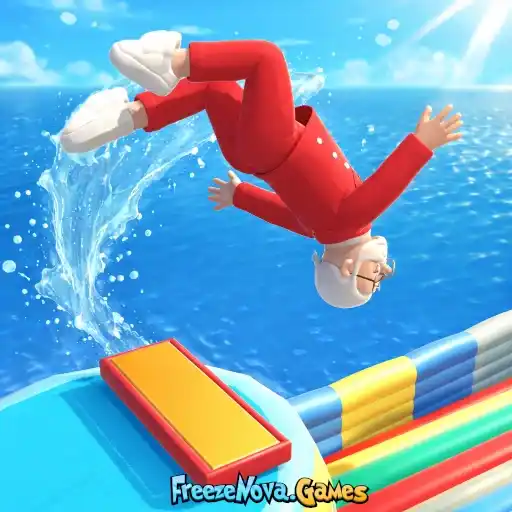
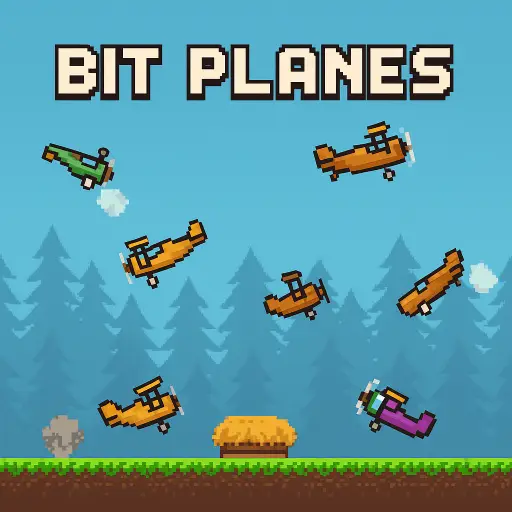







Every game runs in your browser — no download. Browse the full unblocked games catalog.